
Hydraulic Analysis Tool (H.A.T.)
Stop spending time bouncing between Civil 3D and external programs and syncing data. H.A.T. performs the analysis directly within Civil 3D.® Use the incredibly robust C3D catchment objects to define your drainage areas and their properties. H.A.T then uses this information to perform the hydraulic analysis. Choose the Computation Engine, set your start WSE and run the analysis.
Eliminate out-of-sync design iterations caused by legacy .STM file export/import loops. H.A.T. performs all calculations natively within Civil 3D. No need to manually re-input data every time a design changes.
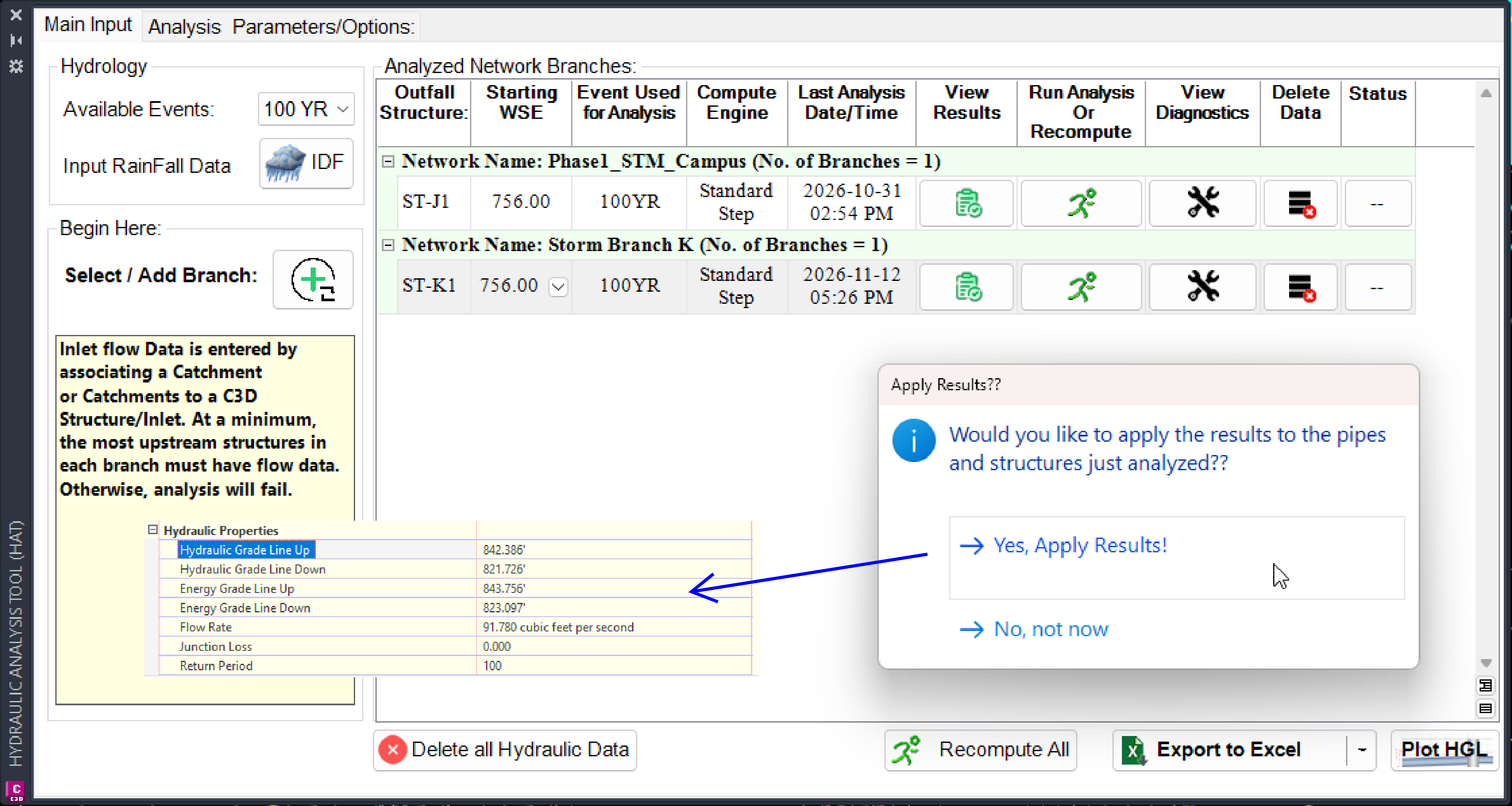
H.A.T. automatically updates hydraulic properties for pipes and structures when the analysis is performed. No manual updating required.
Built using the Civil 3D .NET API and C# (.NET 10 platform), H.A.T. integrates directly into Civil 3D and is designed to meet Autodesk Publisher requirements.

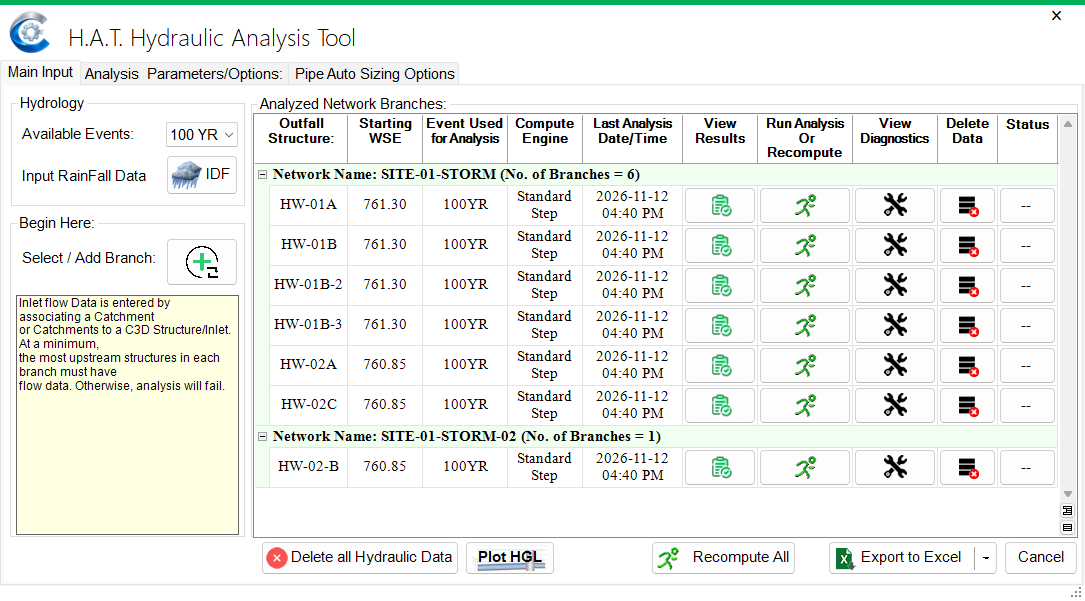
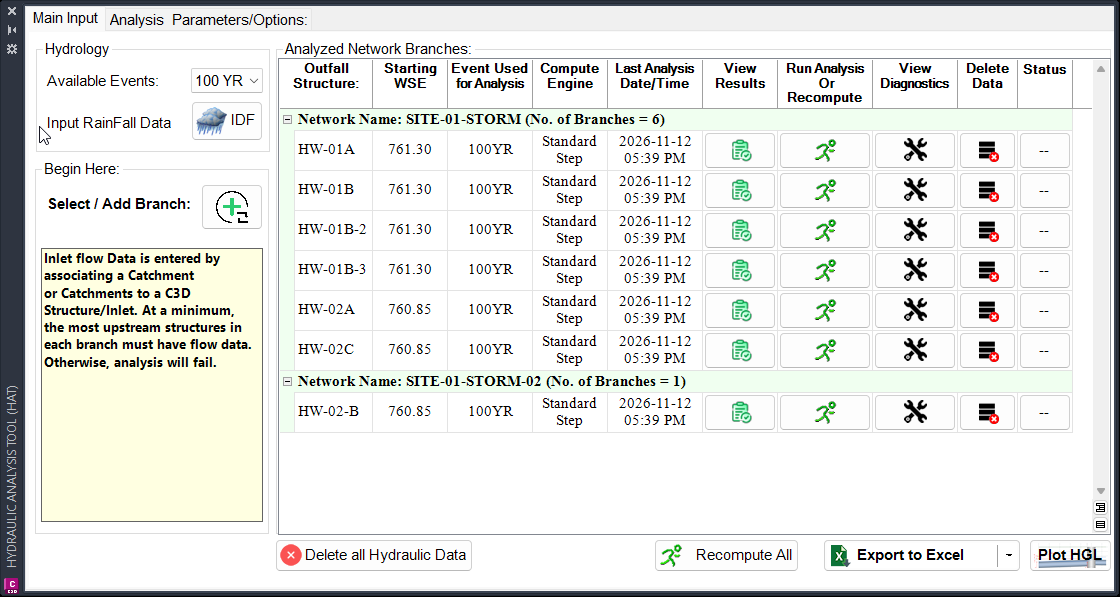
The primary workspace for performing hydraulic analysis directly within Civil 3D. Manage all analysis parameters and settings in one intuitive interface. Use the alternative palette version of the main interface for a more compact workspace.
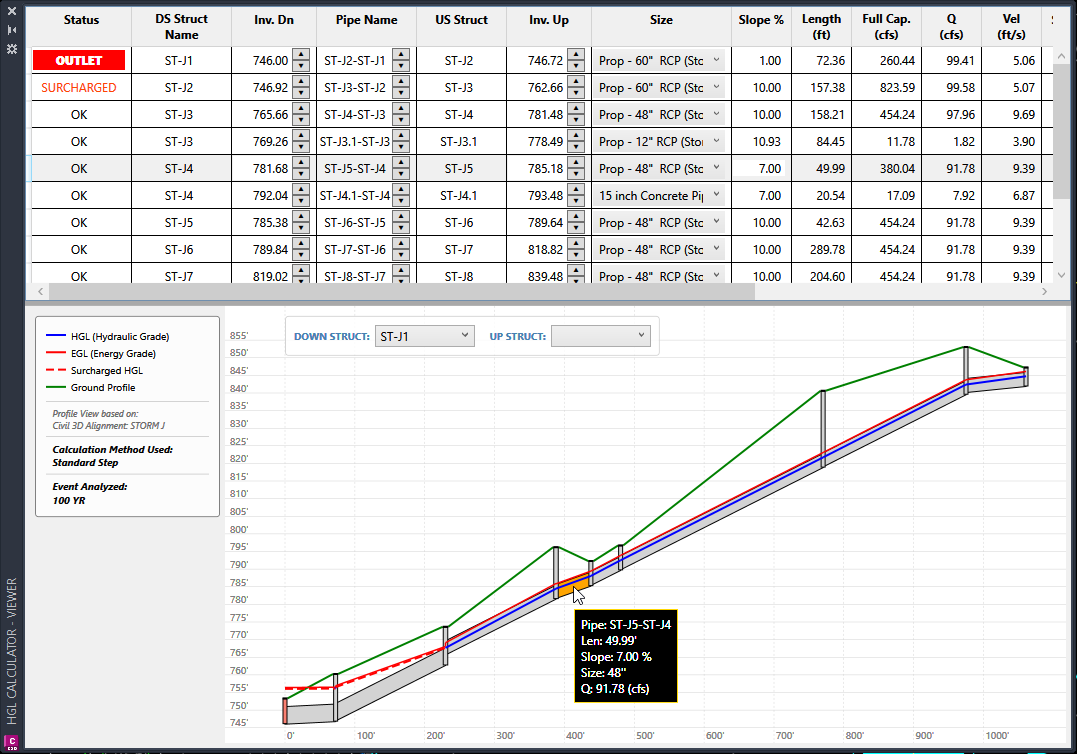
Visualize and analyze individual branches and sub branches of your stormwater network.
View detailed results, and branch-specific calculations at a glance.
Supports on-the-fly updates using the embedded controls in the results table. Use the up/down arrows to change inverts
, raise or lower the highlighted pipe, and changes the pipe size. The HGL/EGL values will update automatically.
Or simply make the changes in C3D using the native Civil 3D tools or your favorite editing tools and re-calculate
the branch.